
n8n for Small Business: 7 Workflows That Pay for Themselves (2026 Guide)
Seven n8n workflows small businesses can build in 2026 — from WhatsApp orders to daily sales reports — with real costs, a Zapier and Make comparison, and when n8n is the right tool.
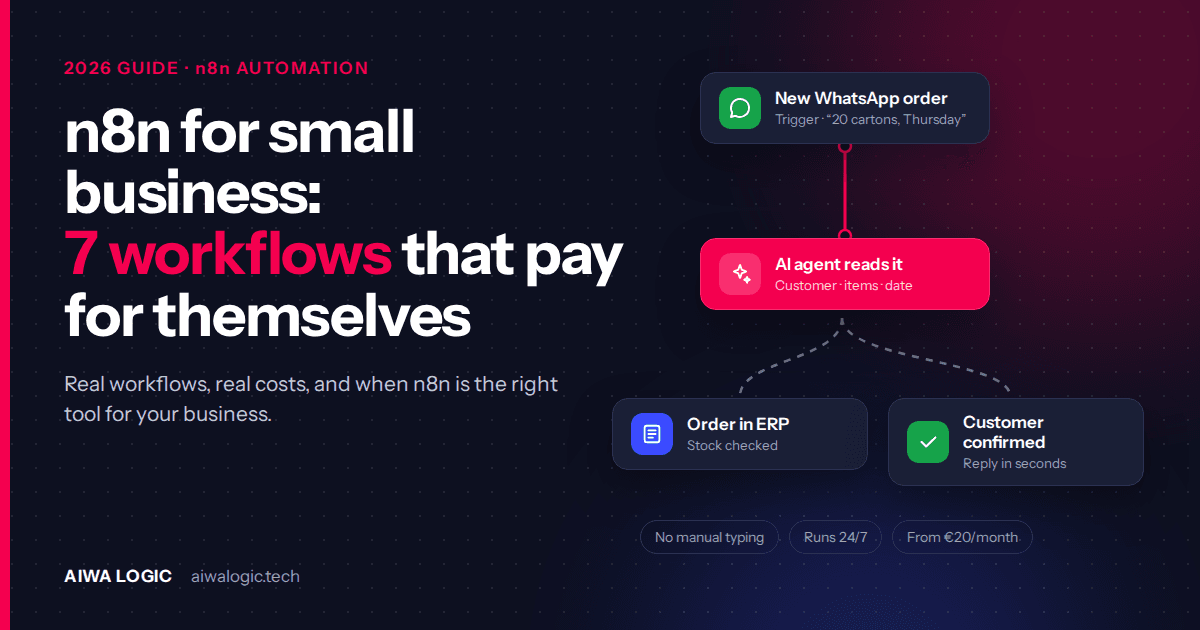
Most small businesses don't have an automation problem. They have a copy-and-paste problem: an order arrives on WhatsApp and someone types it into a spreadsheet, a form fills in and someone forwards it to sales, a day ends and someone adds up the numbers by hand. n8n is one of the most practical tools for removing that work — and in 2026 it is also one of the best ways to put AI to work on real tasks instead of in a chat window.
This guide is for owners and managers, not developers. You will see what n8n is, what it really costs, seven workflows that pay for themselves quickly, how it compares with Zapier and Make, and the point where a no-code tool stops being enough.
What is n8n?
n8n (say "n-eight-n") is a workflow automation tool. You build a workflow on a visual canvas by connecting nodes: a trigger that starts it (a new form entry, a WhatsApp message, a time of day) and actions that follow (add a row, send a message, ask an AI model to read a document, update your CRM).
Three things make it different from most automation tools:
- You can host it yourself. n8n is "fair-code": the Community Edition runs on your own server, so your customer data never has to leave infrastructure you control.
- It is built for AI agents. n8n has AI nodes that let a language model read messages, decide what to do and call your other tools — useful for order intake, support and email sorting.
- It doesn't stop at its integrations. Beyond its library of ready-made app connections, an HTTP Request node and code steps let it talk to almost any system with an API — including custom software like an ERP or inventory system.

What does n8n cost in 2026?
n8n charges by workflow executions. One execution is one full run of a workflow, however many steps it has — a 3-step and a 30-step workflow cost the same per run. That makes it far cheaper than tools that charge for every step once your workflows grow.
On n8n's official pricing page (billed annually):
- Starter (cloud): €20 a month for 2,500 executions.
- Pro (cloud): €50 a month for 10,000 executions.
- Business (self-hosted): €667 a month for 40,000 executions, with SSO and governance features for larger teams.
- Enterprise: custom pricing, cloud or self-hosted.
- Community Edition (self-hosted): no licence fee — you pay for a server (typically a small VPS for a few dollars a month) and for someone to keep it updated and backed up.
Which one should a small business choose? Start on Starter cloud if you have no technical person: it is cheap, n8n runs it for you, and 2,500 executions covers most first projects. Move to self-hosting when volume grows or when customer data has to stay on your own server — but only with someone responsible for updates, backups and security. Check the pricing page before you buy; plans change.

7 n8n workflows that pay for themselves
Each workflow below shows the trigger, the steps and what it saves. Start with one, measure the time saved, then add the next.
1. Website enquiry → CRM → instant WhatsApp reply
Trigger: a new enquiry on your website form.
Steps: add the lead to your CRM or a Google Sheet → send the lead a WhatsApp or email reply within a minute → alert your sales team with the details → schedule a follow-up if nobody replies in 24 hours.
Why it pays: the first business to reply usually wins the job. This one workflow stops leads going cold over a weekend.
2. WhatsApp orders → AI reads the order → order created in your system
Trigger: a message arrives on your WhatsApp Business number (n8n has a WhatsApp Business Cloud trigger).
Steps: an AI node reads the message ("20 cartons of item X, deliver Thursday") → turns it into structured data → checks the customer and stock → creates a draft order in your sheet, inventory system or ERP → replies to confirm.
Why it pays: for distributors and wholesalers taking dozens of WhatsApp orders a day, this removes hours of typing and most order mistakes. Keep a human approval step until you trust it.
3. Overdue invoice → polite reminders by WhatsApp and email
Trigger: a daily schedule.
Steps: find invoices past their due date in your accounting tool → send a friendly reminder with the amount and a payment link → send a firmer one after seven days → tell the owner which customers are still unpaid after 14 days.
Why it pays: cash comes in faster, and nobody on your team has to make awkward calls.
4. Daily sales and stock summary on the owner's WhatsApp
Trigger: every evening at closing time.
Steps: pull today's sales, cash received, expenses and low stock from your systems → an AI node writes a five-line summary → send it to the owner's WhatsApp.
Why it pays: the owner sees the day at a glance without logging into three dashboards — and problems show up the same day, not at month end.
5. Low-stock alert → draft purchase order
Trigger: a product falls below its reorder level in your inventory system.
Steps: check average weekly sales → work out a reorder quantity → create a draft purchase order for the usual supplier → send it to the purchasing manager to approve.
Why it pays: fewer stock-outs of best sellers, less cash tied up in slow stock.
6. AI sorts the inbox: urgent, sales, support, spam
Trigger: a new email in a shared inbox.
Steps: an AI node classifies the email and pulls out key details (customer, order number, deadline) → labels it → routes sales enquiries to the CRM and support requests to your helpdesk → flags anything urgent on WhatsApp or Slack.
Why it pays: nothing important sits unread, and your team starts the day with a sorted inbox.
7. Order delivered → Google review request
Trigger: an order is marked delivered or a project is closed.
Steps: wait a day → send a short thank-you with your Google review link → if the customer replies with a complaint, alert the owner instead of asking again.
Why it pays: reviews are one of the strongest signals for local search and for new customers deciding whether to trust you — and most happy customers simply forget to leave one.
How to choose your first workflow: pick the task that is repeated most often, follows the same steps every time and annoys your team the most. We explain a simple scoring method in 10 business processes to automate with AI first.
n8n vs Zapier vs Make: when to choose n8n
All three connect apps and automate tasks. The right choice depends on who will build and maintain the workflows.
- Choose Zapier if a non-technical owner wants to set up simple automations alone, today. It is the easiest to learn and connects to the most apps — but it gets expensive as volume grows, because you pay per task.
- Choose Make if you want visual, multi-step scenarios at a lower price than Zapier and someone on the team is comfortable with a little logic.
- Choose n8n if you want AI agents doing real work, need to connect custom or in-house software, expect high volume, or need customer data to stay on your own server. It has a steeper learning curve, so it suits teams with a technical person — or a partner who builds and maintains the workflows for you.

When n8n is not enough
n8n is excellent at moving data between systems. It is not a replacement for the system itself. If your workflows are working around missing basics — stock that lives in five spreadsheets, customer balances nobody trusts, orders with no single record — automation only moves the mess faster.
That is the point to fix the foundation: one inventory management system or custom ERP as the single source of truth, with n8n connected to it for messaging, AI and reporting. The best results we see come from that combination: a solid system of record, and automation around the edges.
Wondering what a system like that costs? See our inventory and POS software price guide for Pakistan, with monthly plans and custom software compared over three years.
5 n8n mistakes to avoid
- No error alerts. Workflows fail silently when a password changes or an app is down. Set up an error workflow that messages you when anything fails.
- Personal logins in production. Connect apps with a shared business account, not an employee's personal one — or everything breaks when that person leaves.
- Self-hosting without backups. If you run n8n on your own server, back up the database and keep n8n updated. Most "n8n is unreliable" stories are unmaintained servers.
- Automating a broken process. Write the steps down and agree on them first. If the manual process is unclear, the automated one will be too.
- AI replies with no human check. Let AI draft and sort first, and keep a person approving orders, refunds and anything sent to customers until accuracy is proven.
Frequently asked questions
Is n8n free?
The self-hosted Community Edition has no licence fee — you pay only for the server and its upkeep. n8n's cloud plans start at €20 a month (billed annually) for 2,500 workflow executions.
Do I need coding skills to use n8n?
Not for simple workflows: you connect nodes on a visual canvas. Workflows that involve custom software, AI agents or complex logic are easier with a technical person, because you may need to work with APIs, data formats and occasional code steps.
Can n8n work with WhatsApp?
Yes. n8n has WhatsApp Business Cloud nodes that can receive messages and send replies through Meta's official API. You need a WhatsApp Business Platform account, and Meta charges for some message types, so check current WhatsApp pricing.
Is self-hosting n8n safe for customer data?
It can be the safest option, because the data stays on a server you control — but only if the server is maintained: updates, backups, HTTPS and restricted access. If nobody can own that, n8n cloud is the safer choice.
How long does it take to set up an n8n workflow?
A simple workflow like an enquiry reply takes a few hours. A WhatsApp order workflow with AI and an ERP connection typically takes one to three weeks, including testing with real orders.
Get your first n8n workflow live
You don't need to automate everything at once. Pick one workflow from this list, put it live, and measure the hours it saves. That number pays for the next one.
At Aiwa Logic we design, build and maintain n8n workflows and AI agents for growing businesses — connected to the tools you already use or to custom software we build for you. See our AI automation services or book a free discovery call and we'll suggest the first workflow worth automating in your business.