
10 Business Processes Small Companies Should Automate with AI First (2026 Guide)
Not sure where to start with AI? These 10 business processes give small companies the fastest payback, with examples, a scoring method and a 30-day plan.
Start with the work your team repeats every day
The business processes small companies should automate with AI first are the ones that are repetitive, high-volume and rule-based: answering enquiries, capturing leads, processing invoices, entering orders and chasing payments. They pay back fastest because they eat hours every week and follow patterns an AI system can learn.
Most small businesses get AI the wrong way round. They sign up for a new tool, try it for a week, then go back to spreadsheets. The tool was never the problem. The problem is starting without a clear answer to one question: which task, done by which person, costs us the most time every week?
This guide answers that question. You will get:
• A simple scoring method to pick your first automation
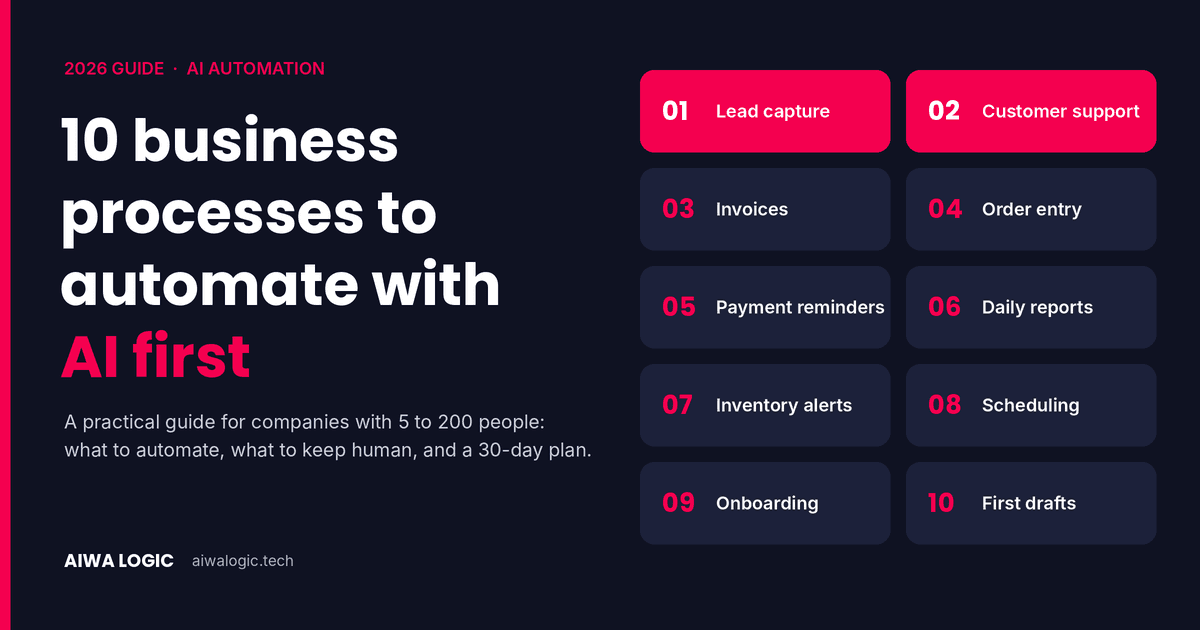
• The 10 processes that pay back fastest for companies with 5 to 200 people
• Real workflow examples, including what the AI does and what a person still checks
• The mistakes that make automation projects fail
• A 30-day plan to go from idea to a working system
We build custom software and AI automation for distributors, retailers, service firms and ecommerce brands at Aiwa Logic. Everything here comes from what we see work, and fail, in real businesses.
How to choose what to automate first
Automate first the process that scores high on time saved and low on risk and complexity. Score each candidate from 1 to 5 on four questions:
Question
Score 5 when…
Score 1 when…
How often does it happen?
Many times a day
Once a month
How much time does it take?
Hours of staff time each week
A few minutes
How rule-based is it?
Same steps every time
Every case needs judgement
What happens if it goes wrong?
A small, easily fixed error
Lost money, legal or customer damage
Add the scores. Anything above 15 is a strong first candidate. Anything below 10 should wait until you have one automation running well.
The quickest way to see this is to place each process on an impact versus effort grid. Start in the top-left box: high impact, low effort.

A rule worth remembering: automate the boring, keep people on the judgement. AI is excellent at reading, sorting, drafting and routing. People are still better at negotiating, approving and handling unhappy customers.
The 10 business processes to automate with AI first
These ten are ordered roughly by how quickly they pay back for a typical small company. Each one lists what the AI handles and what a person should still check.
1. Lead capture and follow-up
Every enquiry that waits hours for a reply is a lead that may go to a competitor. Website forms, emails, WhatsApp messages and social DMs often land in different inboxes, and some are never answered.
What the AI does: collects enquiries from every channel into one place, reads each message, pulls out the name, company, need and budget, scores how serious the lead is, and sends a personalised first reply within minutes. Hot leads trigger an instant alert to the right salesperson.
What a person checks: the first sales call and any custom quote.
Example: a website form submission is added to the CRM, tagged "high intent", answered with a relevant case study, and the sales owner gets a WhatsApp alert, all before anyone opens the inbox.

2. Customer support for repeat questions
In most businesses, the same 20 questions make up most of the support inbox: delivery times, prices, order status, opening hours, return rules.
What the AI does: an AI support agent answers these questions on your website, WhatsApp or email, using your own policies and product data. It can look up a live order status in your system instead of giving a generic answer.
What a person checks: complaints, refunds and anything the AI is not sure about. A good agent hands over to a human with the full conversation attached.
3. Invoice and receipt processing
Typing supplier invoices into accounting software is slow, boring and full of small errors.
What the AI does: reads invoices and receipts from email or scans, extracts the supplier, date, line items, tax and total, matches them to purchase orders, and creates draft entries in your accounting or ERP system.
What a person checks: approval before payment, and any invoice that does not match its purchase order.

4. Order entry from email and WhatsApp
Distributors and wholesalers often receive orders as free-text messages: "Send 20 cartons of the 500ml and 10 of the 1 litre, same as last week." Someone then retypes every order.
What the AI does: understands the message, matches products to your catalogue, checks stock, creates a sales order and sends the customer a confirmation.
What a person checks: unusual quantities, new customers and credit limits.
5. Payment reminders and collections
Late payments hurt small companies more than almost anything else, and chasing them is awkward work nobody wants.
What the AI does: watches due dates, sends polite reminders on a schedule, adjusts the tone as an invoice gets older, and logs every promise to pay. It can answer "Can you resend the invoice?" on its own.
What a person checks: accounts that are seriously overdue and any payment plan negotiation.
6. Reporting and daily business summaries
Many owners spend their evenings pulling numbers from three systems into one spreadsheet.
What the AI does: collects sales, expenses, stock and cash figures every day and sends a short plain-language summary to your phone, for example: "Sales up 12% on last Tuesday, three products below reorder level, two invoices overdue more than 30 days."
What a person checks: the decisions. The report tells you where to look; you decide what to do.
7. Inventory alerts and reordering
Running out of a best seller loses sales. Overstocking ties up cash.
What the AI does: tracks stock levels and sales speed, warns you before items run out, and drafts purchase orders based on lead times and recent demand.
What a person checks: the purchase order before it is sent to the supplier.
8. Scheduling and appointment booking
Back-and-forth messages to find a meeting time waste time on both sides.
What the AI does: offers available slots, books appointments, sends reminders and handles rescheduling. For service businesses it can also collect the details needed before the visit.
What a person checks: exceptions, such as urgent jobs or VIP clients.
9. Employee and client onboarding
Every new hire or new client triggers the same checklist: accounts, documents, folders, welcome emails and first tasks.
What the AI does: starts the checklist automatically, creates accounts and folders, collects documents, answers common questions and reminds people of anything missing.
What a person checks: contracts, access permissions and the personal welcome.
10. Content and proposal first drafts
Writing product descriptions, quotes, proposals and social posts from scratch takes hours.
What the AI does: creates first drafts from your templates, past proposals, product data and brand voice, so your team edits instead of starting from a blank page.
What a person checks: everything before it goes out. AI drafts are a starting point, not a finished product, and facts and prices must always be checked.
Where AI automation goes wrong, and how to avoid it
Most failed automation projects fail for the same five reasons, and none of them is the AI itself.
1. Automating a messy process. If your team does a task five different ways, the AI will copy the mess. Write the steps down and agree on one way first.
2. Too many tools that do not talk to each other. A chatbot that cannot see your stock, orders or customer history can only give generic answers. Connect the AI to the systems where your real data lives.
3. No human in the loop. Letting AI send payments, approve refunds or quote prices without review is how small errors become expensive ones. Keep approvals for anything involving money, contracts or angry customers.
4. Silent failures. Automations break when a password expires or an app changes. Build alerts so someone knows within minutes, not weeks.
5. Ignoring data privacy. Customer and financial data must be handled carefully. Check where your data is stored, who can see it, and what your local data protection rules require.
When off-the-shelf tools are enough, and when they are not: no-code tools like Zapier or Make work well for simple, low-volume tasks. Once a process handles sensitive data, high volumes or business-specific rules, a custom-built automation connected directly to your systems is usually more reliable and cheaper to run over time.
Weighing up the tools? Our guide to n8n for small business: 7 workflows that pay for themselves shows real workflows, 2026 costs and how n8n compares with Zapier and Make.
Your 30-day rollout plan
You can have your first AI automation working within a month if you start small and measure from day one.
1. Week 1: Map and measure. List your ten most repetitive tasks, score them with the method above, and pick one. Record how long it takes today and how many errors happen. This is your baseline.
2. Week 2: Design the workflow. Write down every step, the systems involved, what the AI will do, and where a person approves. Decide what "success" means, for example "reply to every lead within 5 minutes".
3. Week 3: Build and test. Build the automation and test it on real but low-risk cases. Run it next to the old process so you can compare results.
4. Week 4: Launch and review. Switch it on, set up failure alerts, and compare against your baseline. Fix what is not working, then pick the next process.

One automation that works is worth more than five half-finished experiments. Each success also makes the next one faster, because your data and systems are already connected.
Frequently asked questions
What is the first process a small business should automate with AI?
For most small businesses, the best first automation is lead capture and follow-up or customer support for repeat questions. Both happen many times a day, follow clear patterns, and have a direct effect on sales.
How much does AI automation cost for a small business?
Cost depends on how many systems need to be connected and how complex the rules are. A single, focused automation such as lead follow-up or invoice processing is usually a project of a few weeks, while a company-wide system takes longer. Always ask for a fixed scope and price for your first automation.
Will AI automation replace my staff?
In small companies, AI usually removes the repetitive part of a job, not the job itself. Staff spend less time typing, copying and chasing, and more time on customers, sales and decisions.
Do I need custom software, or are tools like Zapier enough?
No-code tools are enough for simple, low-volume tasks. Custom automation is the better choice when you handle sensitive data, high volumes, or rules specific to your business, or when you need the AI to work directly with your inventory, ERP or CRM.
Is AI automation safe for customer and financial data?
It can be, if it is built with access controls, audit logs, encrypted storage and human approval for sensitive actions. Ask any provider where your data is stored and who can access it before you start.
How long does it take to see results?
A well-chosen first automation can show measurable time savings within the first month. Measure the process before you start so you can prove the difference.
Not sure where to start? Get a free automation audit
In a free 30-minute call, we look at how your business runs today and show you the two or three processes where AI automation would save the most time. You leave with a clear plan, whether or not you work with us.
Aiwa Logic builds custom AI agents, workflow automation, inventory and ERP systems for growing businesses in the UK, US, UAE, Saudi Arabia and Pakistan. One team designs, builds and supports your system, with a demo every week so you always see progress.
• Book your free automation audit: aiwalogic.tech/contact
• Talk to our team on WhatsApp: +92 324 4427718
See a real example: how we replaced paper registers for an FMCG distributor