
How to Automate Your Small Business with AI in 2026: A Step-by-Step Guide
Save 10+ hours a week. Learn 5 tasks every small business can automate with AI today, the best tools, and a 30-minute chatbot setup guide.
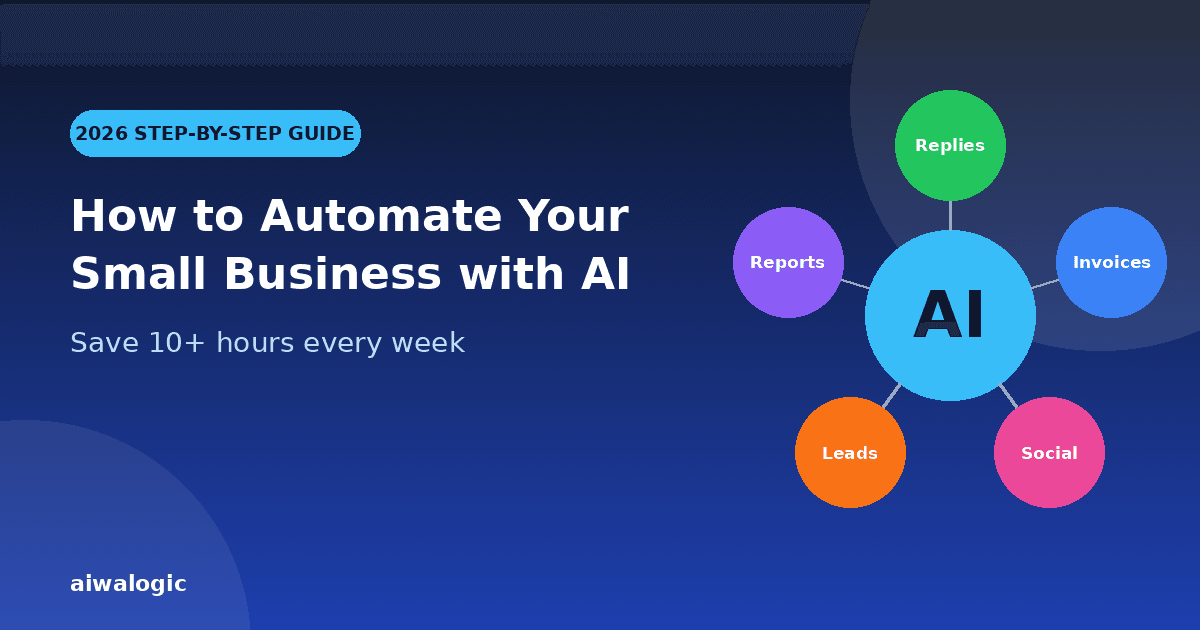
Small business owners who use AI automation can win back 10 or more hours every week. That's time now spent answering the same customer questions, chasing payments and posting on social media.
The good news: you don't need a tech team or a big budget. Most of the tools in this guide have free or low-cost plans, and you can set up your first automation in an afternoon.
In this guide you'll learn:
• What AI automation actually means for a small business
• 5 tasks you can automate today
• The best AI tools for business in 2026, compared
• How to build a WhatsApp or website chatbot in 30 minutes
• The mistakes that waste time and money
What Is AI Automation for Small Business?
AI automation means letting software handle repetitive tasks for you, and make simple decisions along the way. Old-style automation could only follow fixed rules, like "send this email every Monday." AI automation can read a customer's message, understand what they want and write a sensible reply.
Think of it as a digital assistant that works 24/7, never forgets a follow-up and costs a fraction of a salary. It doesn't replace your team. It frees them from busywork so they can focus on sales, service and growth.
5 Tasks Every Small Business Can Automate Today
These five tasks take up hours of a business owner's week, and each one can be automated with tools you can set up in an afternoon.
1. Customer Replies

The problem: Customers ask the same questions all day: "What's the price?", "Do you deliver?", "What are your timings?" Every slow reply risks losing a sale.
How to automate it: An AI chatbot on WhatsApp, Instagram or your website answers common questions instantly, day or night. It learns from your own FAQs, price list and policies, so it sounds like your business. Complex questions are handed to a human.
Tools to try: WhatsApp Business app, ManyChat, Tidio, Chatbase
2. Invoicing and Payment Reminders

The problem: Making invoices by hand, tracking who has paid and chasing late payments is slow and awkward.
How to automate it: Invoicing software creates invoices from templates, sends them automatically and politely follows up on late payments. Recurring invoices for monthly clients go out without you lifting a finger.
Tools to try: Zoho Invoice, Wave, QuickBooks, FreshBooks
3. Social Media Posts

The problem: Posting regularly matters, but daily ideas, captions and uploads eat time you could spend running the business.
How to automate it: Use AI to brainstorm a month of post ideas and draft captions in one sitting. Design them in bulk, then schedule everything ahead so it publishes on its own.
Tools to try: ChatGPT or Claude (ideas and captions), Canva (designs), Meta Business Suite or Buffer (scheduling)
4. Lead Follow-Up

The problem: Most leads go cold because nobody follows up in time. By the time you reply, they've bought from a competitor.
How to automate it: Connect your forms, ads and inboxes to a simple CRM. Each new lead instantly gets a welcome message, your sales person gets notified, and follow-ups are scheduled over the next few days.
Tools to try: HubSpot CRM, Zapier, Make, n8n
Want to see lead follow-up built in n8n? Our n8n workflow guide for small businesses walks through seven practical workflows with real costs.
5. Reports

The problem: Pulling numbers from sales sheets, ad accounts and bank statements every week takes so long that many owners skip it.
How to automate it: Connect your data to a dashboard that updates itself. Add an AI summary in plain language ("Sales up 12%, best product was X") delivered to your inbox or WhatsApp every Monday.
Tools to try: Google Sheets with Looker Studio, Zapier or Make, ChatGPT or Claude
Best AI Tools for Small Business in 2026: Quick Comparison
Start with the free plan of one tool per task, then upgrade only when you outgrow it.
Task
Beginner-friendly tool
More powerful option
Best for
Customer replies
WhatsApp Business app
ManyChat, Tidio, Chatbase
Shops and service businesses with many chats
Invoicing
Wave, Zoho Invoice
QuickBooks, FreshBooks
Freelancers and agencies with monthly clients
Social media
Canva + Meta Business Suite
Buffer + ChatGPT or Claude
Brands posting 3+ times a week
Lead follow-up
HubSpot CRM
Zapier, Make, n8n
Businesses running ads or getting form leads
Reports
Google Sheets + Looker Studio
Make + an AI summary
Owners who want weekly numbers without effort
Pricing and free-plan limits change often, so check each tool's official site before you choose.
How to Build an AI Chatbot for WhatsApp or Your Website in 30 Minutes
Customer replies are the fastest win for most businesses, so start here.
1. List your top 20 questions (5 minutes). Scroll through your WhatsApp and DMs and note what customers ask most: prices, delivery, timings, location, returns.
2. Write clear answers (10 minutes). Put each question and answer in one document, along with your price list and policies. This becomes your bot's "brain."
3. Pick a chatbot tool (2 minutes). For WhatsApp, use a tool that connects to the WhatsApp Business Platform, such as ManyChat. For a website, Tidio or Chatbase work well.
4. Upload your document and set the tone (5 minutes). Tell the bot to be friendly and short, and to reply in the language your customers use, such as English or Roman Urdu.
5. Add a human handover (3 minutes). Set a rule: if the customer asks for a person, or the bot isn't sure, notify your team.
6. Test it yourself (5 minutes). Ask 10 tricky questions. Fix any wrong answers in your document, then go live.
Review the chat logs every week for the first month and add any new questions to your document. The bot gets better each time.
Before and After: How Much Time Can You Save?
In this example, an online clothing store with a two-person team saves about 17 hours a week. These are typical estimates, not guaranteed results.
Task
Before (hours/week)
After (hours/week)
Saved (hours/week)
Customer replies
12
3
9
Invoicing and reminders
2
0.5
1.5
Social media posts
5
1.5
3.5
Lead follow-up
3
0.5
2.5
Weekly reports
1
0.5
0.5
Total
23
6
17
That's more than two full working days back every week, often for less than the cost of one part-time hire.
5 Common AI Automation Mistakes to Avoid
• Automating everything at once. Start with one task, measure the result, then add the next.
• Removing the human completely. Always give customers a way to reach a real person.
• Feeding the bot poor information. A chatbot is only as good as the FAQs and policies you give it.
• Setting it and forgetting it. Prices, stock and offers change. Review your automations every month.
• Ignoring data privacy. Don't paste sensitive customer data into tools you haven't vetted, and follow WhatsApp's rules on messaging customers.
Frequently Asked Questions
Is AI automation expensive for a small business?
No. Many tools have free plans, and a basic setup can cost less than a few hours of staff time each month. Start free and pay only once you see results.
Do I need coding skills to automate my business?
No. Tools like ManyChat, Zapier and Make use drag-and-drop builders. For more complex workflows, an automation agency can set things up for you.
Can an AI chatbot reply in Urdu or Roman Urdu?
Yes. Most modern AI chatbots understand and reply in many languages, including Urdu and Roman Urdu. Test it with real customer messages before going live.
Will AI replace my employees?
No. AI handles repetitive tasks so your team can focus on work that needs a human touch, like closing sales and solving real problems.
What is the first thing I should automate?
Customer replies. It's quick to set up, customers notice the faster responses, and it usually saves the most time.
Start Small, Save Big
AI automation isn't just for big companies anymore. Pick the one task that drains the most time in your business, automate it this week and measure the difference. Then move on to the next.
Want it done for you? Aiwa Logic sets up AI chatbots, invoicing, lead follow-up and reporting automations for small businesses, end to end. Book your free automation audit today →